• Skip to primary navigation
  • Skip to main content
  • Skip to primary sidebar

PHB News

Small Business News and Information

  • Home
  • News
    • SmallBiz News
    • Tech News
    • Marketing News
    • Lifestyle News
    • General News
    • Travel News
    • Education News
    • Finance News
    • Other News
  • About Us
  • Contact Us
  • Submit Your Press Release
  • Show Search
Hide Search
Home/Tech News/CF Card Recovery For Mac and Windows

CF Card Recovery For Mac and Windows

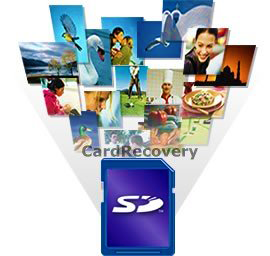
March 22, 2014 (Powerhomebiz.net) Mac CF Card Recovery Professional is a super recovery tool for recovering lost data from SD card and other memory card. With its assistant, there is no need to worry about the deleted photos, pictures, videos and important files. It can restore Delete photos, missing pictures, formatted data and deleted files easily and securely. No matter how much you know about computer, you would feel satisfied when using this shareware. In addition, it can support nearly all the windows OS, card types, and famous digital camera brands in the market. Have a try of this software and it would never let you down.

Restore deleted, lost, formatted, or corrupted photos, pictures, video, and other files from various memory cards (e.g. Compact Flash, SD card, SDHC, Sim Card, Memory sticks, XD card, and USB flash drive). compatible with PC and Mac systems.

CF Card Recovery has helped so many owners get their missing or corrupted files.
Have talked so much about this recovery tool, then how to recover your deleted files from SD card and other memory card?

The following steps is the guide to recover photos, videos on card cf.

Step 1, First, Download and Install CF Card Recovery on Your Computer.

Step 2, then connect your camera or card reader to your computer.

Step 3, double-click the CF Card photos, videos Recovery and open it.

Step 4, connect the device and select the destination folder.

Step 5, Scan and select the target files.

Step 6, it will appear as a drive letter, which will allow program to access the data on the CF card.

Step 7, Press recover and get the achievement.

Read here for more details,

http://www.cfcardrecovery.com/

Written by:
Rio McIntyre
Published on:
March 22, 2014

Categories: Tech NewsTags: Software

Primary Sidebar

Recent News

High Beam Global Builds its Business Continuity Plan Amid the Pandemic COVID-19

With the pandemic declared COVID-19, every business is getting hit by its consequences. In such a …

Continue Reading about High Beam Global Builds its Business Continuity Plan Amid the Pandemic COVID-19

UpsideLMS Demonstrates Employee-First Approach; Rolls Out Remote Working for its Team during COVID-19 Outbreak

Staying true to its health and safety commitment to its 80 strong workforce, UpsideLMS …

Continue Reading about UpsideLMS Demonstrates Employee-First Approach; Rolls Out Remote Working for its Team during COVID-19 Outbreak

Insurance Marketing Agency Creates Insurance Lead Generation Tips Guide

321 Web Marketing, an Insurance Marketing Agency, recently released a guide educating insurance …

Continue Reading about Insurance Marketing Agency Creates Insurance Lead Generation Tips Guide

employee benefit

Texas Benefits Consultant Releases Employee Benefits Compliance Checklist

A Texas benefit consultant at BenefitCorp recently created an employee benefits compliance checklist …

Continue Reading about Texas Benefits Consultant Releases Employee Benefits Compliance Checklist

Search our site

Discover more

Get our Travel Guide Get Inspiration Get Connected

Footer

Business Name

123 Navigation Drive
Some City, Some State 12345

Copyright © 2026 ยท PowerHomeBiz.net

  • SmallBiz News
  • Tech News
  • Marketing News
  • Education News
  • Finance News
  • General News
  • Lifestyle News
  • Travel News