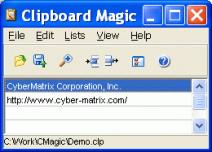
January 31, 2012 (Powerhomebiz.com) CyberMatrix has released version 5 of Clipboard Magic, a freeware Windows clipboard manager for plain text. This latest release contains several important new features to make copying and pasting text easier and more efficient. Clipboard Magic users can end up with many clips in one list that are difficult to differentiate between. For example, a technical support analyst using Clipboard Magic can have many similar canned responses that are hard to keep track of. Two new features in Clipboard Magic 5 can greatly help with this problem. In the new version, clips can now be assigned a short descriptive label to make particular clips easier to find in a long list. Users can now also color-code clips to quickly visually organize the clips into different types.
Previous versions of Clipboard Magic allowed users to translate the text labels into their own language. A big problem though was that text of multi-byte languages such as Chinese, Japanese and Russian did not show up properly in the clip list display grid. With the complete Unicode support added to version 5, the display grid now fully supports all multi-byte languages. The new backup and restore features enable recovering important clip data after a hard drive crash and help facilitate switching to another computer.
 Clipboard Magic can greatly improve the productivity of those that spend a lot of time cutting and pasting repetitive text. By default any plain text copied to the Windows Clipboard is automatically stored in Clipboard Magic. The text can range from a single line to several pages. At the click of the mouse any item in the stored clip list is automatically copied back to the Windows Clipboard allowing you to paste the text in any document or web form. Features include text drag and drop between other Windows applications, search and replace, series paste hotkeys and clip sorting. Clipboard Magic also has multi-language capabilities.
Clipboard Magic runs on Windows ME, XP, 2003 Server, Vista, 2008 Server and Windows 7.
Clipboard Magic is free and contains no adware or spyware. The latest version can be obtained free of charge from http://www.cybermatrix.com .